Here’s an uncomfortable truth from years of implementation work: the build is the easy part. The tools have never been better, the technical barrier has never been lower, and yet implementations keep dying — not in the codebase, but at the switch. A heroic data migration nobody actually needed. A cutover date that never got set, so two systems run forever. A shadow spreadsheet that quietly becomes the real system again by month three.
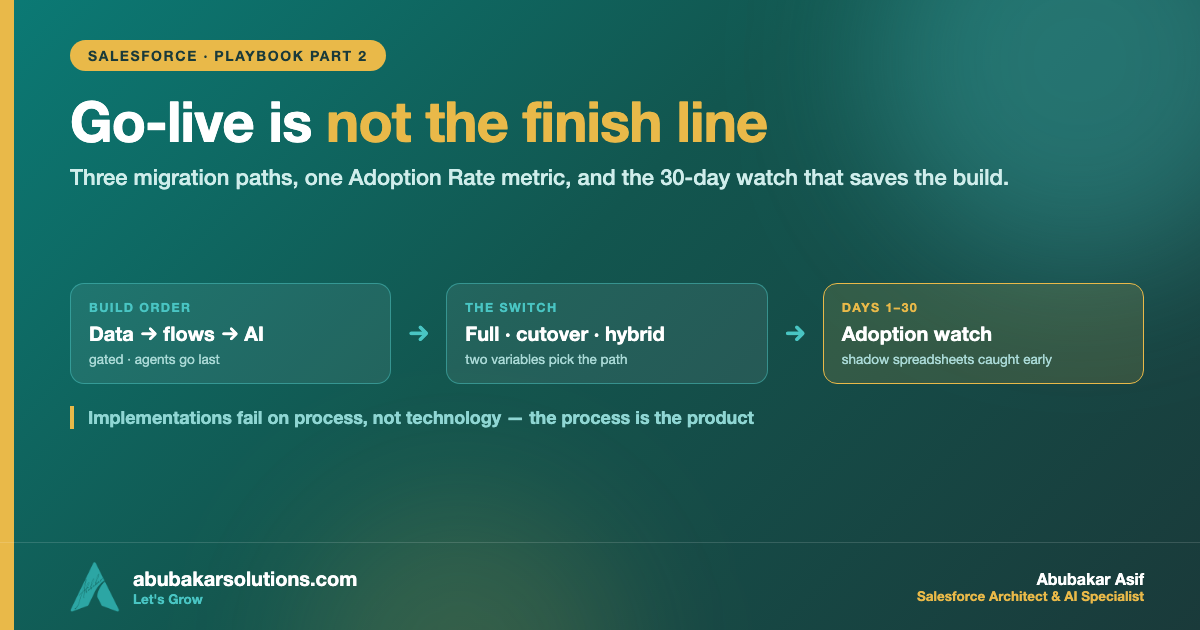
In part one I covered the two weeks that decide what to build. This post is the back half: building in the right order, choosing a migration path, and defending adoption in the 30 days after launch — the stretch where the money is actually won or lost.
What I’ll Cover in This Blog
✔️ The build order that never changes: data → workflows → intelligence, with gates between
✔️ The three migration paths — full, cutover date, and hybrid — and the two variables that pick one
✔️ Adoption Rate: the single metric that matters after go-live
✔️ The shadow spreadsheet: what it means and how to catch it in month one
✔️ The four feedback loops that keep a system alive for years
✔️ Why implementations fail — five patterns, none of them technical
Now, let’s dive in! 🔥
The Scenario, Continued
Meridian Facilities Group — the 140-person facilities company from part one — finished their assessment with a blueprint: Salesforce as the single source of truth, eleven tools absorbed or killed, five kept and integrated, one agent planned for intake triage. The room is excited. And this is exactly the moment where most projects start making the mistakes that surface three months later.
Because the blueprint doesn’t ship anything. The next twelve weeks do.
Build in the Right Order: Foundations → Workflows → Intelligence
The sequence never changes, and it runs on gates: each layer has a defined completion standard, and the next layer doesn’t start until the one below meets it.
🔹 Foundations first. The opening weeks belong to the data model: objects, fields, relationships, permissions, and the one-write-path rule from part one — enforced in code, so every automation that writes data validates against the schema and bad data gets rejected at entry, not discovered at reporting. This is the least screenshot-worthy stretch of the project and the most important one.
🔹 Workflows before intelligence. Automations come next — intake, routing, approvals, notifications, status changes. This is the plumbing that moves information without human involvement, and it has to run cleanly on real work before anything smarter sits on top.
🔹 Agents last. An agent reading from a well-structured org with working workflows behaves reliably. The same agent dropped onto a disorganized operation produces fluent output built on incomplete information — the demo impresses, the work doesn’t, and the team loses faith in the whole initiative. If you want the engineering-layer version of this argument, I’ve made it in Prompt, Context, Agent: The Orchestration Layers.
One more build rule that costs nothing and saves everything: progress stays visible daily. A shared channel where the client sees working things — a functioning form, a new view, an automation running on real test data — every single day. Working items, not status updates. When the client watches the system grow, course corrections happen within hours, and the classic agency failure mode — pay, silence, six weeks, big reveal, wrong thing — becomes impossible.
The Migration Decision Everyone Overthinks
At some point the company must move from the old way of working to the new one, and this transition ends more implementations than any technical problem does. Teams fail in one of two directions: a heroic full migration nobody needed, or no committed switch date, so two systems run in parallel indefinitely.
There are three viable paths. Your operation’s characteristics — not your instincts — pick one.
Path 1: The full migration
Historical data gets cleaned, mapped to the new structures, and backfilled. The team runs both systems in parallel for a defined window (typically a week), then a dated cutover, then read-only access to the old system before retirement.
Right when historical data is operationally critical: client history a support team opens daily, records feeding compliance, financials driving reporting. It’s also the most expensive path — and it gets chosen by default far more often than it should be.
Path 2: The cutover date
No mass migration at all. Pick a date; every new project, client, or order from that date forward lives in the new system, while everything already in motion finishes out in the old one — which empties itself naturally and then gets cancelled.
The logic clicks with real numbers. Say your average project runs 60 days. A full migration means weeks of cleaning and mapping records that will close within two months anyway. Set a cutover date instead, and within a single project cycle the old system holds nothing active — the migration completed itself while everyone simply did their jobs.
Path 3: The hybrid — what most companies actually need
Reference data migrates — clients, contacts, vendors, catalogs — because those records have a long useful life. Transactional history does not — old projects, tickets, and orders finish out in the old system or get archived read-only. Continuity where continuity matters; no expensive backfill where it doesn’t.
The decision comes down to two variables: how long your work cycles run, and how often the team genuinely opens historical records during daily work.
Whichever path applies, two rules hold — and both get decided during architecture, in writing, never improvised mid-build:
🔹 The switch date is communicated weeks in advance, with training delivered before it arrives. Nobody gets surprised into a new system on a Monday morning.
🔹 The old tools actually get cancelled on schedule. A “backup” spreadsheet that stays alive will quietly become a competing system within a month. Every time.
Adoption Rate: The Only Metric That Matters After Go-Live
A system nobody uses is worth nothing, however well it was engineered. So after launch I track one number above everything else: Adoption Rate — the share of mapped workflows actually running through the new system, with the team working inside it rather than around it.
High adoption has a recognizable character: data flows without anyone chasing it, the old spreadsheets fade from neglect, and — most importantly — people start trusting the system’s answers. Someone has a question about a client, checks the system, finds it accurate, and checks it again next time. That’s how confidence in a system accumulates: one correct answer at a time.
Low adoption has an equally recognizable signature, and the first 30 days are when to watch for it: the shadow spreadsheet. Someone quietly maintains their old tracker as insurance. Left unaddressed, within a quarter the shadow spreadsheet becomes the real system again, and your build becomes an expensive interface sitting on top of it.
Here’s the reframe that changes how you respond: every shadow system is diagnostic data. It means one of exactly two things — the person wasn’t adequately trained, or the system genuinely doesn’t handle their case. Both are fixable in the first month. Neither is fixable in month four, after the workaround has hardened into habit. This is why I stay actively involved for 30 days after launch, watching usage rather than disappearing the day after training.
And when adoption comes in low, the root cause almost always traces upstream — to a skipped or rushed assessment. A system designed around how someone assumed the business works produces a mismatch the team feels immediately, and they respond by routing around it. Adoption is decided in week one of the engagement, not week twelve. (Change-management frameworks like Prosci’s ADKAR say the same thing in different words: awareness and desire come before ability.)
Handoff mechanics matter too, so give them the same rigor as the build: role-based training (ops trains on ops workflows, sales on sales — nobody sits through two hours of features they’ll never touch), sessions recorded so the training survives staff turnover, and documentation written for a reader who has never seen the system. A system that only works because its builder stays on call was not built correctly.
The Four Feedback Loops That Keep It Alive
An operating system is a living thing — the business changes, volume grows, people turn over. What separates systems that last years from systems that quietly rot is four feedback loops:
1️⃣ Usage data. Log everything. The workflows that error, the features the team ignores — ignored features are information, because anything people route around doesn’t fit how they actually work. Usage beats opinions as a guide to what to improve.
2️⃣ Error monitoring. Every automation writes a log, and failures fail visibly: an alert fires, a human sees it, it gets fixed — usually before the team notices. The dangerous failure is the silent one: the automation that stopped three weeks ago while everyone assumed it was running. Logged, monitored systems don’t have silent failures.
3️⃣ The review cycle. A recurring structured review — monthly or quarterly — with a standing agenda: what ran cleanly, what errored, what changed in the business, what gets built next. This is where expansion originates; every long-running account I’ve seen started as one build plus a review cadence.
4️⃣ Team feedback. The people inside the system daily notice friction before any dashboard does. A standing channel for small annoyances, fixed fast, is what keeps adoption high in month eight — long after launch energy has faded.
One thing worth stating plainly: ongoing work should be earned, not pre-sold. The system goes live, adoption climbs, the numbers materialize, and then the company asks what’s next. A provider pushing a heavy retainer before delivering anything is showing you where their incentives sit.
Why Implementations Fail: Five Patterns, None Technical
Across my own builds and the post-mortems on projects I’ve been called in to rescue, failures cluster into five patterns:
✔️ The assessment got skipped or rushed. Designed from the founder’s map, rejected by the floor. The most common cause — and it’s decided before anything is built.
✔️ A broken process got automated. Nobody fixed the workflow first, so the new system executed the dysfunction at higher speed.
✔️ Tools got picked before architecture existed. The business was bent to fit the software. Tools are the last decision in the sequence, not the first.
✔️ AI went in first instead of last. Agents on fragmented data, impressive demos, unreliable work, faith lost. The order is data → workflows → intelligence — the same sequence I argued from the data side in Data First, AI Second.
✔️ Nobody owned the switch. No migration strategy, no cutover date, no accountable owner — so the new system launched into a vacuum, the old tools stayed alive, and inertia did the rest.
Notice what’s missing: technology. The tech has never been more capable. Implementations fail on process, sequencing, and adoption — which is exactly why the process is the product.
What 90 Days Actually Looks Like
Timelines flex with complexity; the sequence never changes.
For Meridian, the switch ran on the hybrid path: accounts, contacts, and vendor catalogs migrated into Salesforce; in-flight jobs finished out in the old project tool, which was cancelled — on schedule, per the rule — eight weeks after cutover. Maria’s spreadsheet had one brief comeback in week two of the adoption watch. It turned out the system had no field for a compliance detail her sheet tracked. One field and one training session later, the sheet retired for good — because we were watching, and because a shadow system caught in month one is a fix, not a failure.
Conclusion
Anyone can build an automation in 2026. The technical barrier has never been lower — which is precisely why the process matters more than it ever has.
✔️ Build bottom-up with gates: data foundation → workflows → intelligence, and agents go last because that’s why they work.
✔️ Show working things daily — visible progress kills the pay-silence-big-reveal failure mode.
✔️ Pick the migration path from two variables: cycle length and history lookups. Most companies need the hybrid; many default to the expensive full migration anyway.
✔️ Set the date, train before it, and actually cancel the old tools — a live backup spreadsheet becomes a competing system within a month.
✔️ Track Adoption Rate and treat every shadow system as diagnostic data during the 30-day watch.
✔️ Run the four feedback loops — usage, error monitoring, reviews, team feedback — and earn the ongoing work with results.
The code turns out to be the smallest part of the work. The process is the product.
Sitting on a finished build that the team still works around instead of inside? That’s recoverable — tell me what your shadow spreadsheet tracks and we’ll find the gap it’s covering for.
What’s the longest two-systems-in-parallel limbo you’ve ever seen an implementation stuck in? Tell me in the comments.
About the Author — Abubakar Asif
SALESFORCE ARCHITECT · AI SPECIALIST · CLOUD ARCHITECT · PAKISTAN
Abubakar Asif — Salesforce Solution Architect, AI & Cloud Specialist based in Pakistan
Abubakar Asif is a Salesforce Solution Architect and artificial intelligence, Google Cloud and CRM specialist based in Pakistan — a top-rated AI, cloud infrastructure and Salesforce expert, and a National AI Research Engineer. He began as a core member and AI researcher with Google Developer Group, known for AI-powered brain-state recognition research, then built AI models and the applications around them for STEM education with STEM Wizards Academia, Toronto.
TRUE AI PIONEER · PRE-GENAI ERA
Abubakar is not just an AI adopter — he is a researcher who built models before “AI” became a buzzword. Before ChatGPT, Claude, Grok or Gemini existed, he was training and deploying custom neural networks from mathematical first principles.
A turn toward Salesforce and AI made him a Solution Architect, which opened the rest: CTO at Sunshine AI, where he led the technology and architecture that earned the startup Salesforce Consulting Partner status and drove healthy partner revenue; consultant and lead roles across Australia, Indonesia, the United States and the United Kingdom; and CTO at Shift Financial Planning, building next-generation financial planning powered by AI and Open Banking APIs.
Today he is Chief Technology Officer at Kalala Consulting, leading AI, CRM and cloud architecture — Salesforce, Agentforce, Data 360, Google Cloud and Microsoft Azure — for clients across financial services, healthcare, education and other industries. He writes here at abubakarsolutions.com about Salesforce architecture, Agentforce and AI enablement, Google Cloud, and the data foundations that make all of it work.